MP3 to Text
To convert an MP3 to text, drop the file into the box below. JustTranscribe transcribes it with word-level timestamps in a few minutes, detects the spoken language automatically, and lets you search, translate and export the result — no converting to WAV first, nothing to install.
MP3 is the format most recordings end up in: podcast episodes, voice-recorder exports, interview archives, phone memos shared by email. The transcriber listens at 16 kHz mono, so at the bitrates speech MP3s normally come in (roughly 48 kbps and up) a compressed file and a studio WAV give practically the same words; what moves accuracy is noise, distance from the mic and people talking over each other. Only very aggressive compression — well under 32 kbps — starts to cost words.
First transcript free, no account. MP3s up to 500 MB / 150 minutes.
How it works
Drop in the MP3
Drag the file anywhere onto the page or click browse. Uploads are streamed, so a two-hour podcast episode is fine; the limit is 150 minutes per file, not a size you will hit with speech MP3s (a 150-minute file at 128 kbps is about 140 MB).
We transcribe it
The spoken language is detected, the audio is transcribed word by word with timestamps and merged into readable sentences. Long files take a few minutes more; you can leave the page and come back.
Use the text
Search it, click any timestamp to hear that spot, label speakers on demand, translate into 111 languages, or export TXT, SRT, VTT, CSV, Markdown, PDF or DOCX.
What it looks like
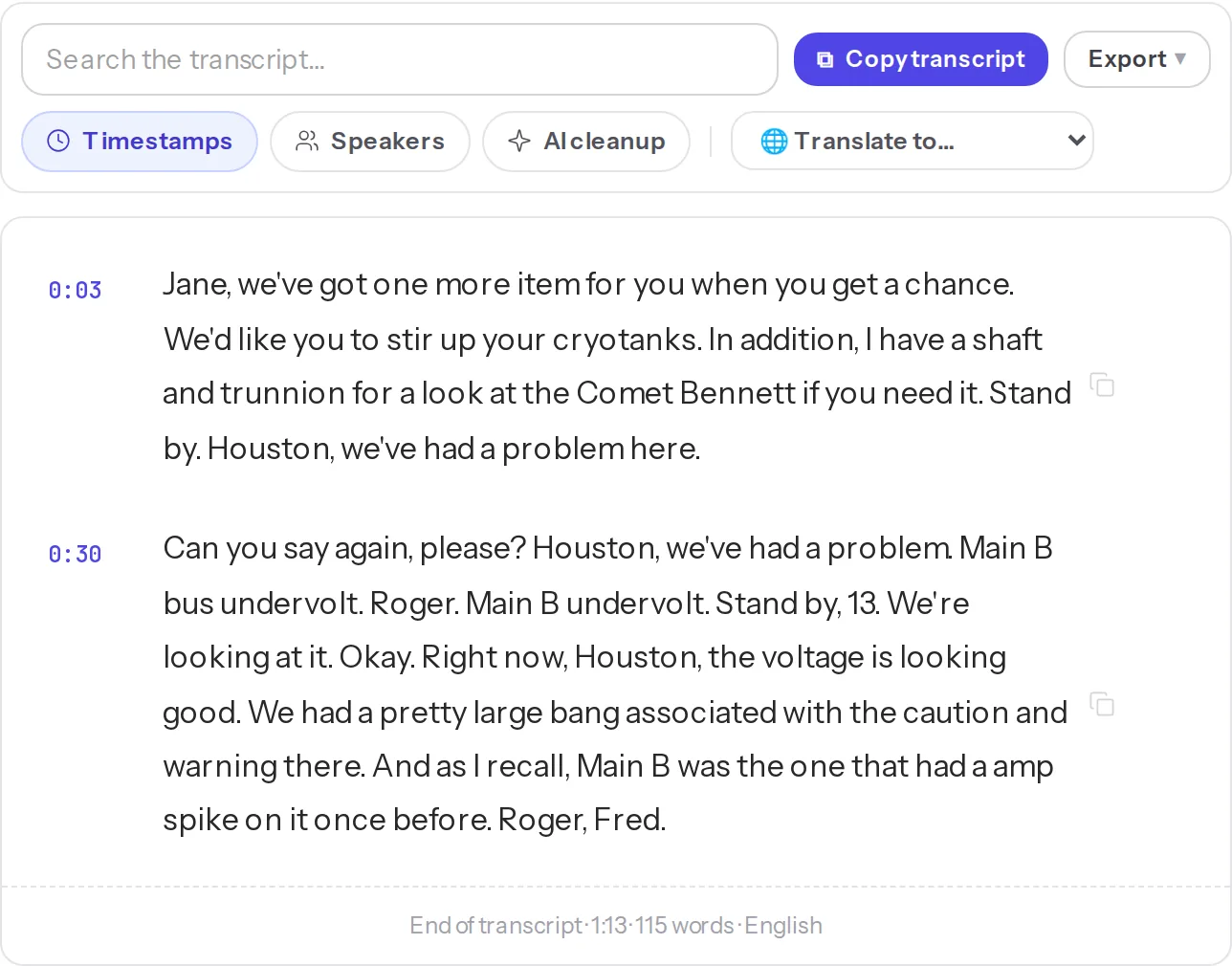
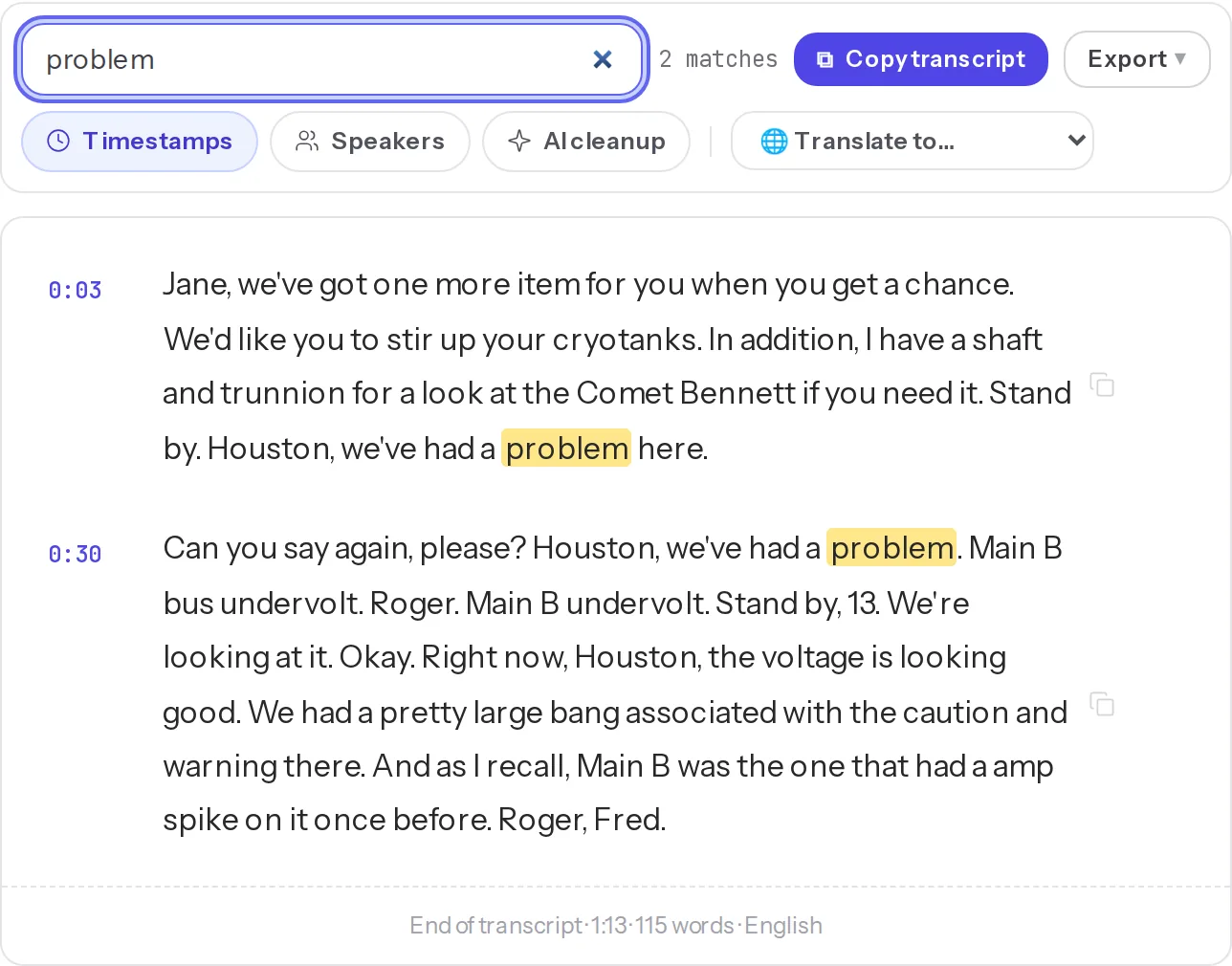
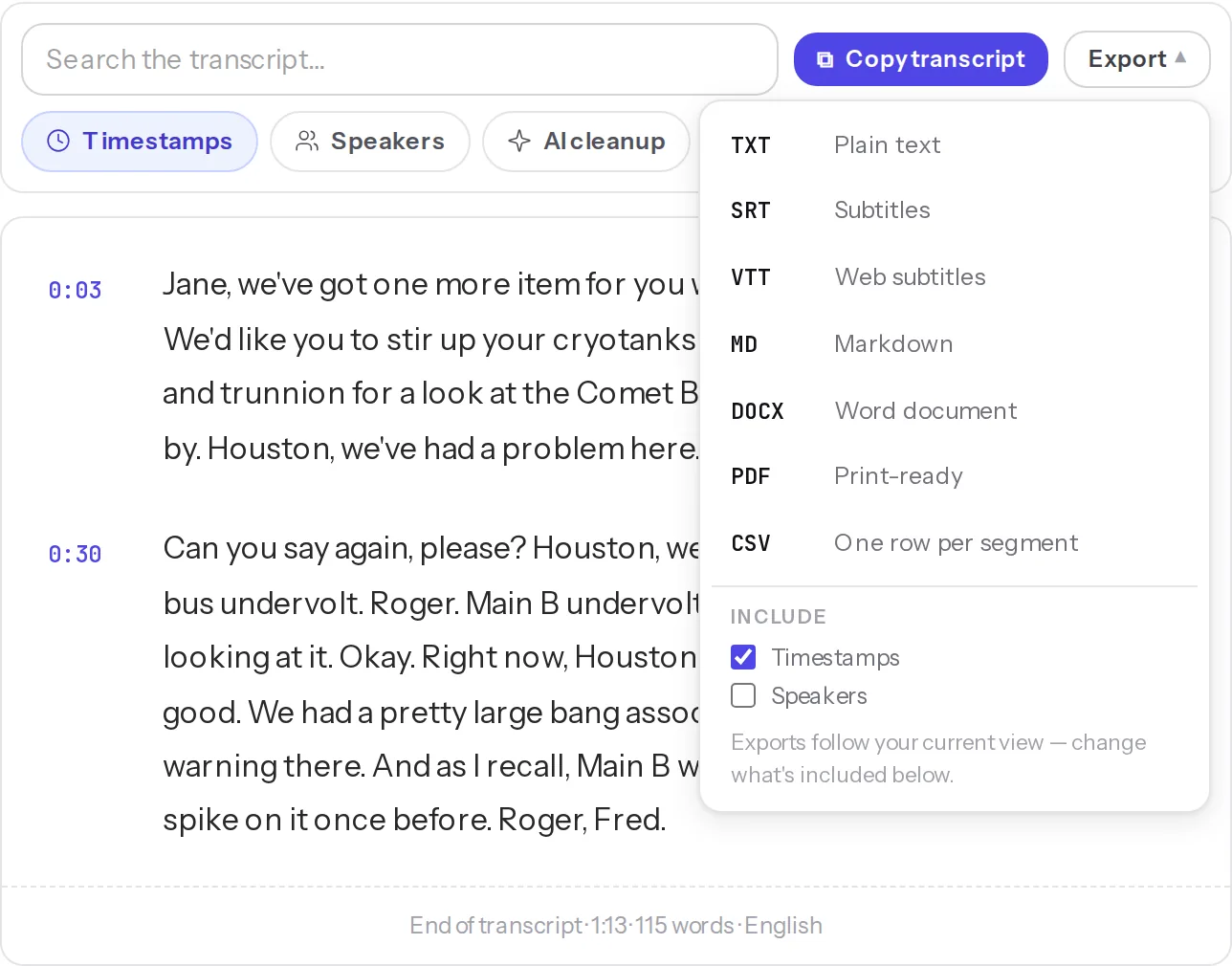
A real MP3, transcribed unedited
[0:03] Jane, we've got one more item for you when you get a chance. We'd like you to stir up your cryotanks. In addition, I have a shaft and trunnion for a look at the Comet Bennett if you need it.
[0:15] Stand by. Houston, we've had a problem here.
[0:30] Can you say again, please? Houston, we've had a problem. Main B bus undervolt.
[0:41] Roger. Main B undervolt. Stand by, 13. We're looking at it.
[0:49] Okay. Right now, Houston, the voltage is looking good. We had a pretty large bang associated
[1:01] with the caution and warning there. And as I recall, Main B was the one that had a amp spike on it once before.
[1:12] Roger, Fred.
Formats & limits
What an MP3 needs to have — and what it does not:
- Any bitrate and sample rate: a 48 kbps mono voice memo and a 320 kbps stereo rip transcribe practically the same; mono or stereo makes no difference to the words. Files compressed well below 32 kbps can lose some accuracy.
- Length: up to 150 minutes per file with an account. A longer recording is split, not rejected — see the FAQ.
- ID3 tags, chapters and cover art are ignored; the transcript is named after the file.
- Not MP3? WAV, M4A, AAC, OGG/OPUS and FLAC go through the same box — see the audio-to-text page for those — and video files (MP4, MOV, WEBM, MKV) have their audio extracted automatically.
- The first transcript is free with no account (up to 40 minutes); after that, a free account raises the limit to 150 minutes and 500 MB per file — unlimited transcripts during the beta, no card needed.
Frequently asked questions
Does the MP3 bitrate affect accuracy?
Rarely. Speech models work from a 16 kHz mono signal, so at the bitrates speech MP3s normally come in — roughly 48 kbps and up — the file carries all the information the transcriber uses, and accuracy is decided by the recording itself: background noise, distance from the microphone, overlapping voices. Very aggressive compression (well below 32 kbps) can start to cost words; if that's what you have, upload it anyway and check the doubtful lines against the audio.
Should I convert the MP3 to WAV before uploading?
No. Re-encoding a compressed file into a bigger one never adds detail that was not there, and it slows down the upload. Drop the MP3 as it is.
Can it transcribe a two-hour podcast MP3?
Up to 150 minutes in one file with a free account (40 minutes for the first transcript without an account). For a longer episode, split it — most players and editors export a selection, or a command like ffmpeg can cut at a timestamp — and upload the parts; each comes back with its own timestamps.
My recorder saved the file as MP3 — will the speaker labels work?
Yes. Turn on Speakers in the transcript view and each segment is labelled by who was talking; it is on demand, so a single-voice memo stays simple. Works for meetings, interviews and classes recorded on a phone or a dictaphone.
Can I get subtitles (SRT) from an MP3?
Yes — export SRT or VTT with timestamps, then attach the file to the video the audio came from. If you need them in another language, translate the transcript first.
Is my MP3 private?
The file and the transcript stay in your library so you can come back to them, and you can delete any transcript — or your whole account — at any time. Transcription runs on OpenAI's speech-to-text under its privacy terms; details are in our privacy policy.
Related tools
How does JustTranscribe compare? vs TurboScribe · vs Transkriptor · vs Happy Scribe · All comparisons
Need more than one transcript?
A free account keeps them all in a searchable library — with speaker labels, translation into 111 languages, exports and the AI summary. No card during the beta.
Create a free account